Before you download

Requirements and a quick look at the app. Feature overview is on the home page; setup help is in docs.

  • Windows10 or 11, 64-bit
  • First launchInternet required while bootstrap downloads the verified Roblox bundle
  • AccountNo Carbon account needed to install or run the launcher
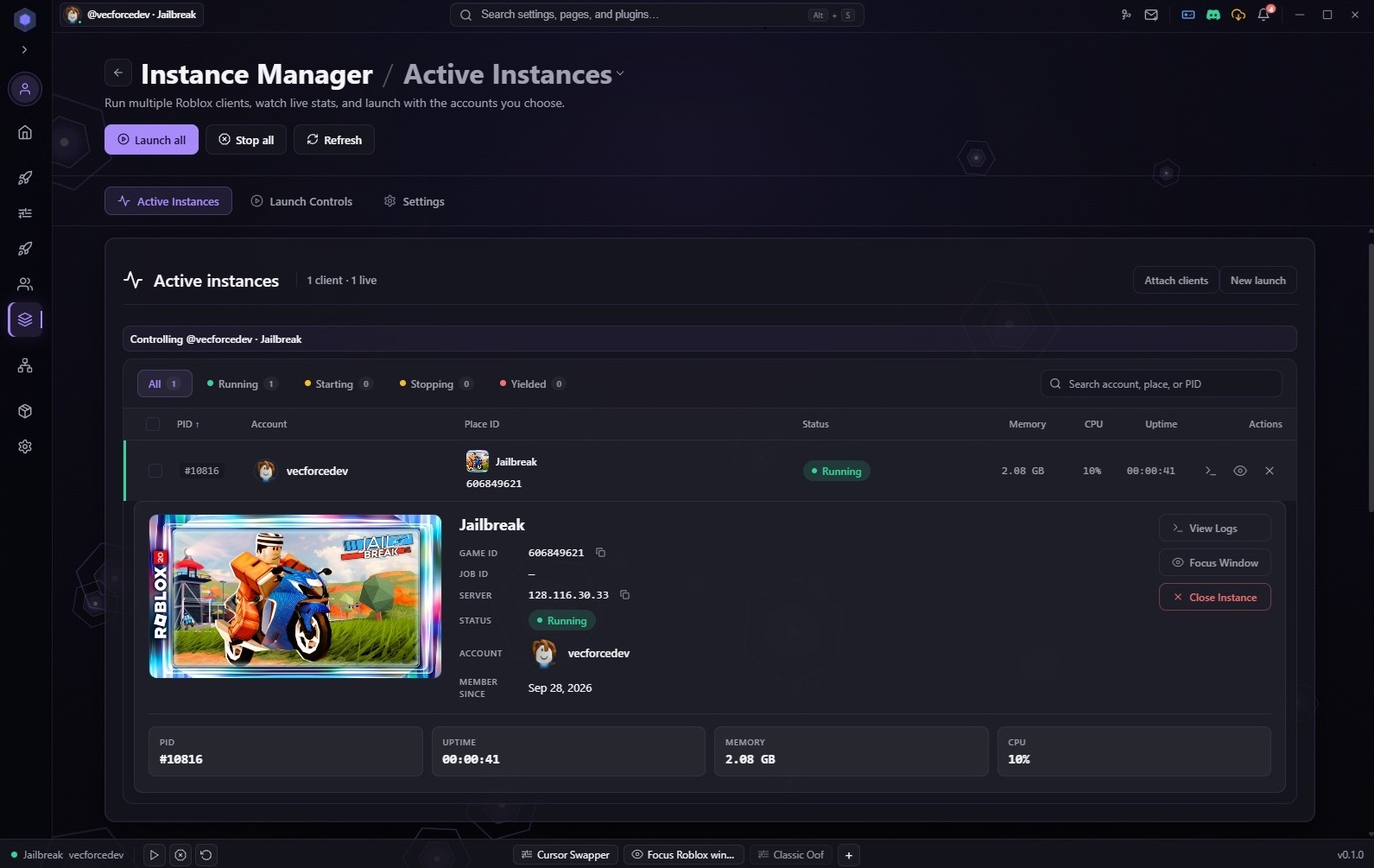
Carbon instance manager with running Roblox clients
Instance manager after install on Windows.

After install, open Carbon once so bootstrap can finish. Sign in when you want join links or other site features.

Install questions

Which file should I download?

Use the .msi for most installs (recommended). Use the .exe NSIS setup if you prefer that installer, or run the PowerShell one-liner to fetch and verify the same build.

Is Carbon free?

Yes. Download and run the launcher without a paid plan. Pro and Ultra are not live yet.

Is it safe to use?

Each build ships with SHA-256 digests you can check before running. Carbon does not inject into games or patch the client binary.

Will it affect my Roblox account?

Carbon does not inject or modify game code. It launches and manages clients like a normal desktop app.

Does it work on macOS or Linux?

macOS is in development. Linux is planned. Windows 10 and 11 are supported today.

How do I update Carbon?

The app checks for updates after you sign in. You can also grab the latest MSI or EXE from this page anytime.