Main@PlayerOne
In gameRunning
v1.0.0-alpha
Run Roblox withmultiple clients
Extra clients, account switching, flags, mods, and themes on Windows. Carbon starts Roblox for you and never injects into games.
ps
irm https://carbonlabs.dev/install.ps1 | Invoke-Expression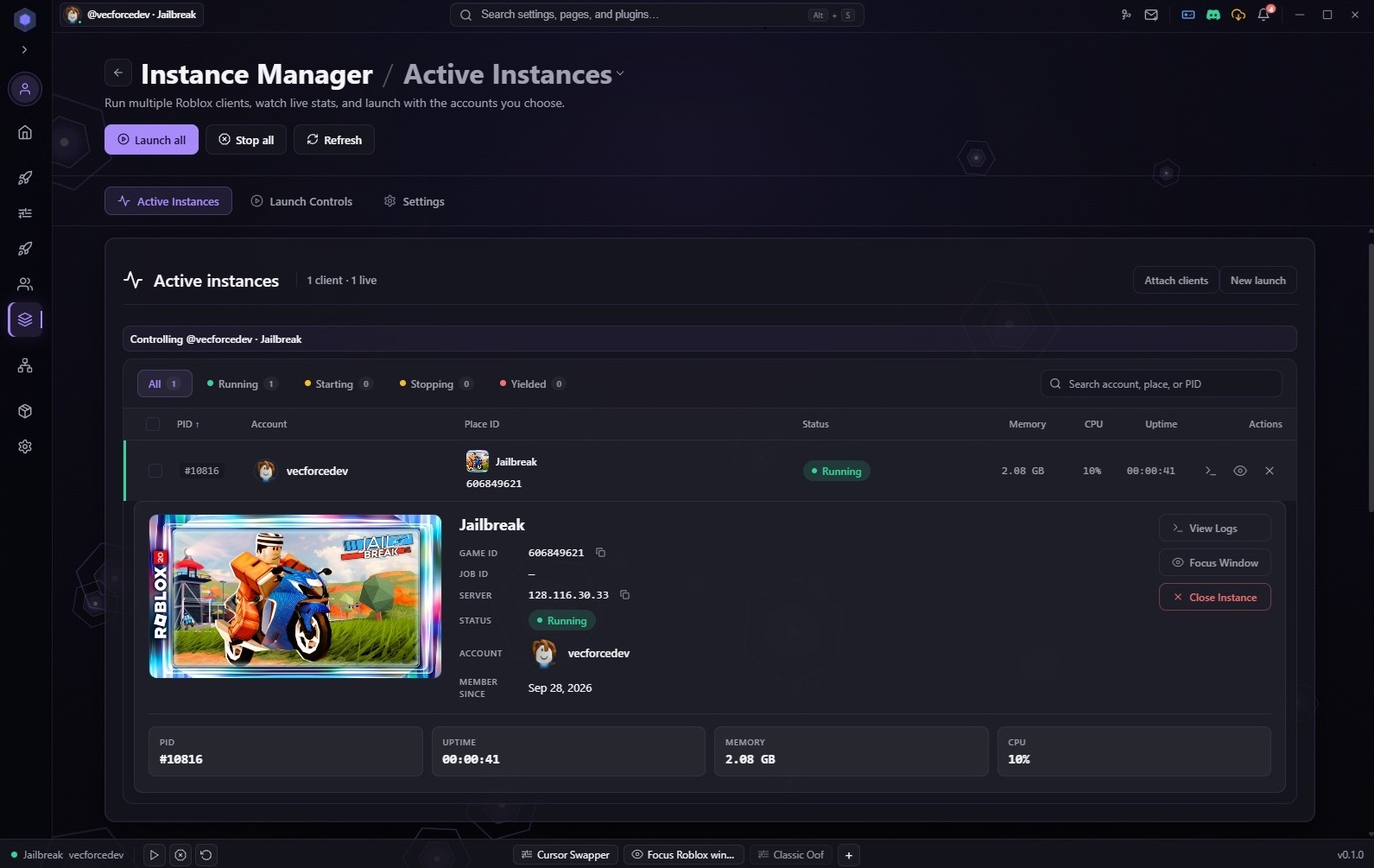
- FastFlagsChange client flags from the launcher instead of editing files by hand.
- Saved accountsSign in once, see who is online, and launch from a single grid.
- Packs you ownMods, plugins, and themes install as folders or zips you can back up.
- Open coreLauncher source on GitHub. Pro stays closed. Each release lists a hash you can verify.
Launcher settings and accounts
Two surfaces in the same app: launch rules on the left, saved profiles and status on the right.
Behavior and install
- Multi-instance
- Silent launch
- Launch confirmation
- Auto-update Roblox
- Roblox install%LOCALAPPDATA%\Carbon\Roblox
- BootstrapperVerified channel: master
- Client cache1.2 GB, clear from Launcher
- Latest log[info] Launch profile Main applied
- Mods at launchcursor-swapper, 1 op queued
- IntegritySHA-256 matched release manifest
Saved profiles
Add account
AltFarm@AltFarm42
OnlineLaunchStudio@DevTest
OfflineLaunch- Multi-instanceTurn rules on or off per profile, including silent launch and launch prompts.
- Paths and cacheSet where Roblox lives, clear cache, and open logs from the app.
- Saved accountsSign in with QR or the browser, lock the vault if you want, then launch from the grid.
Replace client files before launch
Each mod is a folder with mod.yaml. Carbon runs replace-file (and settings UI) before Roblox starts. The cards below are real ids from the built-in library in the repo.
Cursor swapper
Preset or custom PNG for every Roblox arrow cursor path. Toggles save to config.json.
cursor-swapperClassic oof
Swaps content/sounds/oof.ogg back to the classic death sound before you join.
classic-oofChat reskin
LuaChat icons plus PC send-button graphics (gr-send / ic-send).
chat-reskinLoading spinner
Dropdown to recolor the place-loading circle (blue, pink, white, and more).
loading-spinnerapiVersion: carbon.mods/v1
id: classic-oof
name: Classic Oof
description: Restores the classic Roblox death sound.
operations:
- type: replace-file
target: content/sounds/oof.ogg
source: assets/oof.ogg- Runs at launchreplace-file ops copy assets into your Roblox install before the client opens.
- 15 built-in referenceschat-reskin, menubar-pack, ingame-menu-pack, and more live in project/builtin-mods/.
- Your packsDrop a folder or zip on the Mods page — same mod.yaml schema as the built-ins.
Authoring guide for mod.yaml and how installs are laid out.
Read mod docsPlugins stay in the launcher
Write UI and workflows for the Carbon shell. Roblox never loads your plugin code; it runs sandboxed next to accounts, launcher settings, and themes.
Carbon demo
Launch counter, config toggles, ui.action buttons, and theme.changed events.
com.carbon.demoExample (JS)
Minimal plugin.yaml + dist/logic.js that stamps storage when the host loads it.
com.carbon.example-jsExample (TS)
TypeScript source compiled to JS — same layout as the JS starter.
com.carbon.example-ts// project/resources/plugins/carbon/com.carbon.demo
(function () {
const carbon = window.carbon;
if (!carbon) return;
carbon.ui.action("Reset counter", "Clear launch count in plugin storage", () => {
void carbon.storage.set("launchCount", "0");
carbon.events.emit("demo.reset", { at: Date.now() });
});
carbon.events.subscribe("theme.changed", (data) => {
console.log("[demo] theme.changed", data);
});
carbon._ready();
})();Plugins run in a sandboxed iframe in the Carbon shell — never inside a live Roblox client.
- plugin.yaml manifestDeclare entry: dist/logic.js, permissions (storage, config, events), and settings toggles.
- Sandboxed in the shellwindow.carbon exposes storage, config, ui.status/action, and events — not the game process.
- Theme-aware UISubscribe to theme.changed to react when someone picks Frost, Slipstream, or a community pack.
Install from the Plugins page, flip it on, and share folders or zips like any other pack.
Read plugin docsSkins for the whole shell
Change how Carbon, the bootstrapper, and plugin panels look. Pick a skin in Settings under Appearance, or install a community pack.
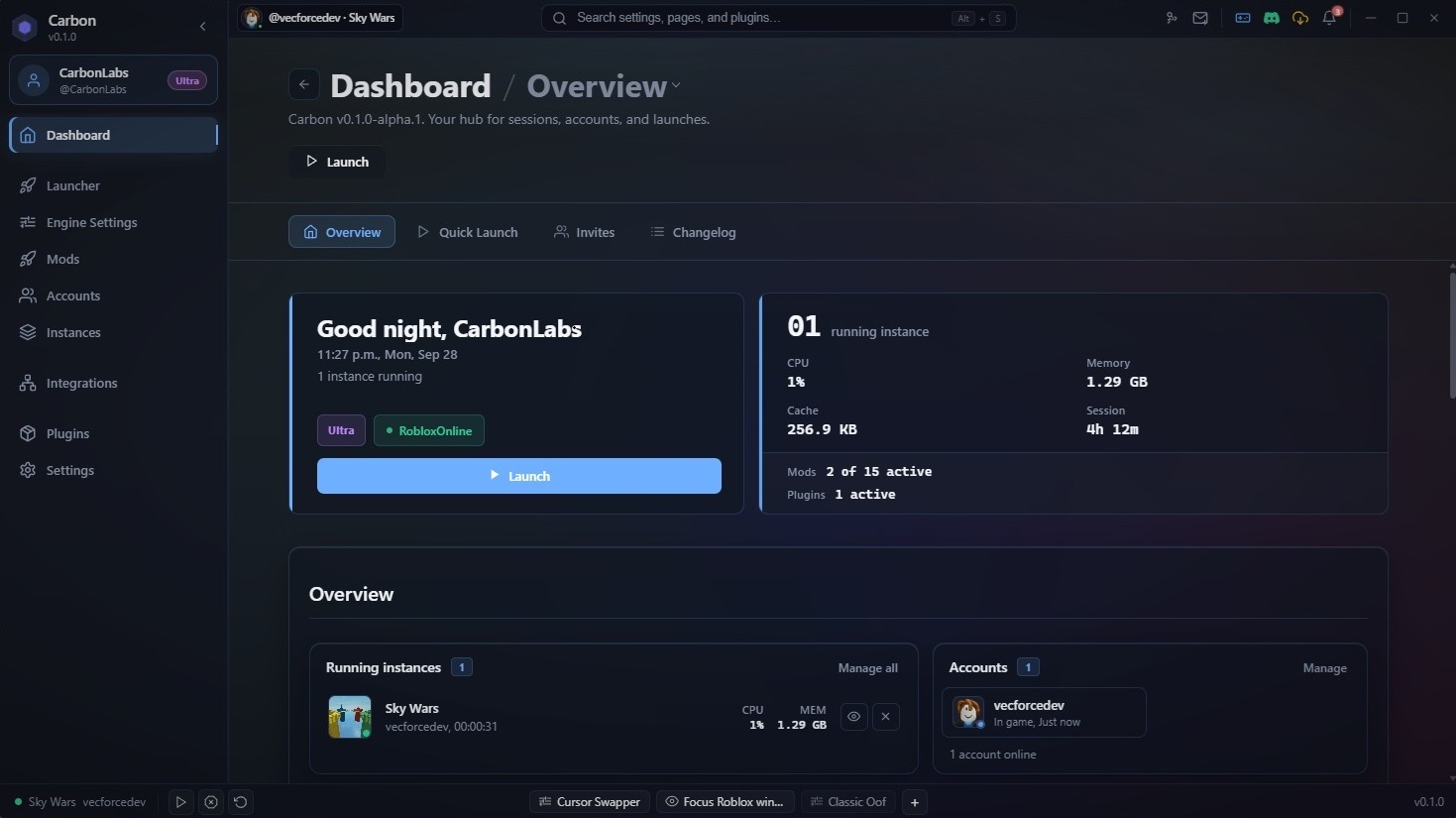
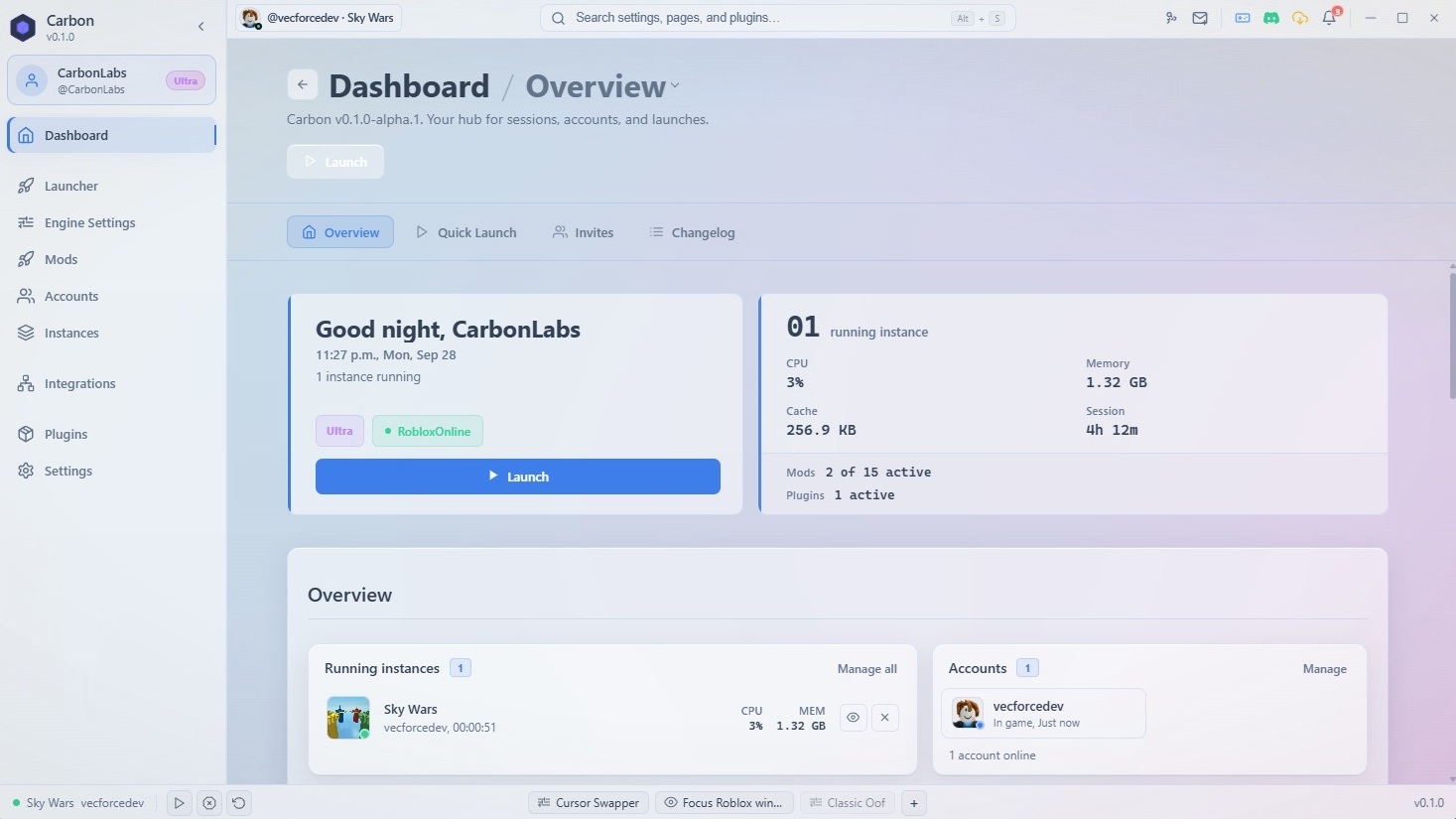
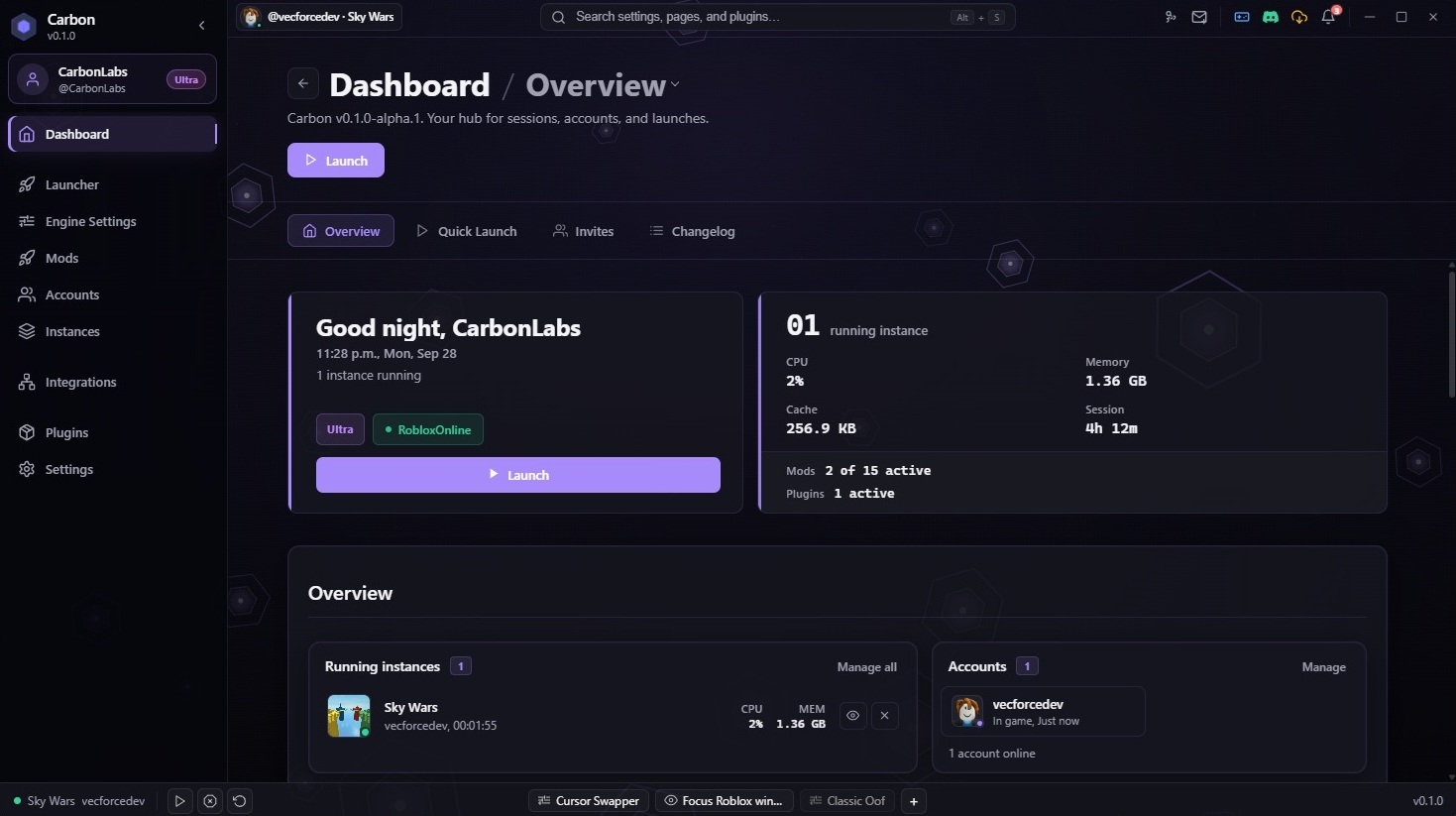
The default dark look across the shell.
manifestVersion: 1
metadata:
  name: Frost
  version: 1.0.0
  tags: [dark, glass]
configuration:
  backdrop:
    type: mica
    theme: dark
  colors:
    primary: "#6b3fff"
    background: "#0a0b0f"
    surface: "#121319"
source: ./frost.scss:root {
--crbn-accent: #6b3fff;
--crbn-surface: #121319;
--crbn-text: #e8eaef;
}
.crbn-shell {
background: color-mix(in srgb, var(--crbn-surface) 92%, transparent);
}- Built-in skinsCarbon Dark, Carbon Light, and Frost ship with the app; Slipstream adds a JS flow-field backdrop.
- theme.yaml + SCSSPoint configuration.source at your stylesheet and override --crbn-* tokens the shell already reads.
- Optional JS backdropsSet javascript.entry when you want WebGL or canvas motion behind frosted panels.
Install a folder or zip from Settings. Community packs use the same theme.yaml layout as built-in skins.
Read theme docsQuestions
Is Carbon free?
Yes. Download the launcher and use it without paying. The core is open on GitHub. Pro and Ultra are not live yet; see pricing for what is available today.
Is it safe to use with Roblox?
Carbon does not inject into games or patch binaries. It launches clients and swaps files like you would by hand, with checks and release hashes on top.
Do I need a Carbon account to download?
No. Download and run without an account. Sign in when you want sync, billing, or Discord linking.
How do updates work?
We publish SHA-256 hashes for each build. The app can check for updates after you sign in. You can also grab the MSI or PowerShell line from the download page anytime.
Download Carbon for Windows
Windows 10 and 11 for now. macOS and Linux are on the roadmap. Installer: Carbon-1.0.0-alpha-win-x64.msi